 WhoIsCooking
Get the app, $5
MacBook hot while charging: normal or a problem?
Charging makes heat. Charging while working hard makes more.
Short answerIt's normal for a MacBook to be warm while charging, especially with fast charging or when the battery is low. Charging creates heat in the battery, and working hard at the same time adds the chip's heat on top. It's not normal if the Mac gets very hot while idle and charging, the charger is too hot to hold, or the battery looks swollen. Use Apple's charger or a good USB-C charger and keep Optimized Battery Charging on.
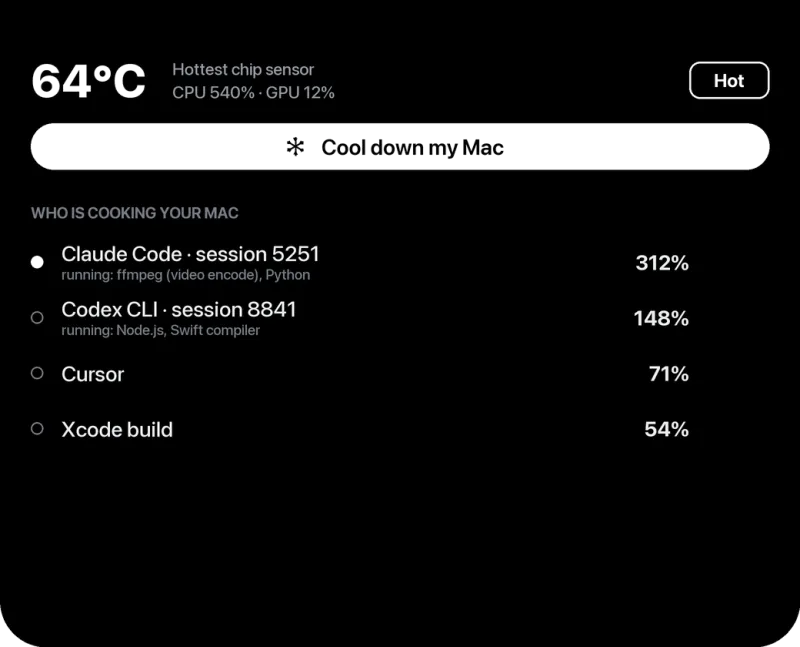
Why charging makes a Mac warm
- The battery heats as it charges, most when it's low and charging fast.
- The Mac does more on power. Spotlight indexing, Photos analysis, backups and updates often wait until the Mac is plugged in.
- Your apps run at full speed. On battery, some Macs and Low Power Mode hold back; on power they don't.
How to keep it cooler
- Keep Optimized Battery Charging on (System Settings → Battery → the ⓘ next to Battery Health). It holds the battery at 80% when it predicts you'll stay plugged in, which means less time charging and less heat. On macOS Tahoe 26.4 or later you can also set a Charge Limit between 80 and 100%.
- Use the charger that came with the Mac or a good-quality USB-C PD charger and cable.
- Don't charge on a bed, sofa or under a blanket.
- If you're plugged in and doing heavy work, use a stand and see keeping a Mac cool during heavy work.
- Set Energy Mode to Low Power "On Power Adapter" (System Settings → Battery) if heat matters more than speed.
When charging heat is a problem
- The Mac is idle and charging but hot to the touch for a long time.
- The charger or cable is too hot to hold, smells, or is damaged. Stop using it.
- The trackpad no longer clicks, the case bulges, or the lid doesn't close flat: signs of a swollen battery. Stop using the Mac and contact Apple.
- System Settings → Battery → Battery Health says "Service Recommended".
Is heat bad for the battery?
Yes, over time. Lithium-ion batteries wear faster when kept hot and full. You don't need to worry about normal warmth, but a Mac that's always plugged in, always hot and always at 100% will lose capacity sooner. Optimized Battery Charging and good airflow are the simple fixes.
Frequently asked questions
Is it OK to use my MacBook while charging?
Yes. Macs are designed for it. It will run a bit warmer, which is normal.
Should I leave my MacBook plugged in all the time?
It's fine with Optimized Battery Charging on, which limits time at 100%. Keeping it cool matters more than unplugging it.
Why is my MacBook charger hot?
Chargers get warm when delivering a lot of power. Too hot to hold, or a burning smell, means stop using it and replace it.