 WhoIsCooking
Get the app, $5
How to keep a Mac cool during heavy work
Heavy work is supposed to use the whole chip. Here is how to keep it from cooking the Mac or slowing it down.
Why heavy work gets hot
Exports, renders, compiles and AI models use every core at full clock speed for minutes or hours. Almost all of that power turns into heat. The chip, the fans (if any) and the case can only move so much heat, so after a while the chip slows itself down to stay within limits. That slow-down is thermal throttling. Keeping the Mac cooler is mostly about keeping it out of throttling, so jobs finish faster.
By type of work
| Work | What gets hot | What helps most |
|---|---|---|
| Video export (Final Cut, Premiere, Resolve, HandBrake) | Media engine, GPU, CPU | Export with hardware encoding (H.264/HEVC); queue exports; avoid editing during export |
| 3D render (Blender, Cinema 4D) | GPU or all CPU cores | Render overnight on a stand; lower the thread count for daytime renders |
| Code builds, tests (Xcode, npm, Gradle, Rust) | All CPU cores | Limit jobs/workers; incremental builds; stop dev servers you are not using |
| Docker and VMs | CPU, memory | Limit the CPUs given to Docker/the VM in settings; stop idle containers |
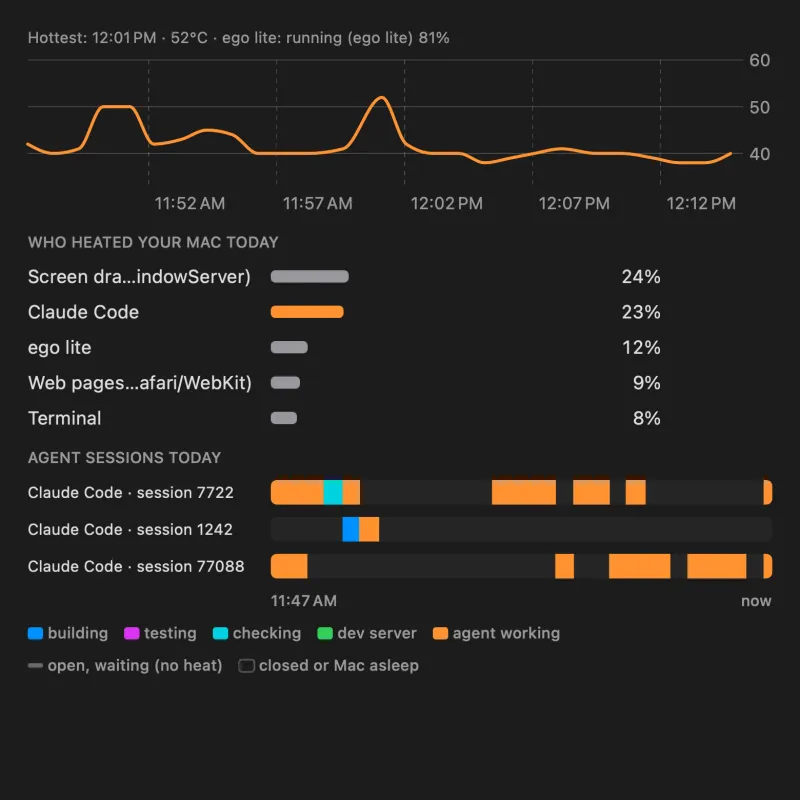
| AI coding agents (Claude Code, Codex, Cursor) | CPU, from builds and tests they start | Fewer parallel agents; clean up leftover processes; see this guide |
| Local AI models (Ollama, LM Studio) | GPU and memory bandwidth | Smaller or quantised models; unload models when idle |
| Games | GPU | Cap frame rate (60 fps instead of unlimited); lower resolution |
Seven habits that keep heavy work cool
- Airflow first. A laptop stand or any hard surface. Never on a bed. For a MacBook Pro in clamshell mode, stand it vertically or leave a gap so the hinge vents breathe.
- One heavy job at a time. Two jobs at once usually finish no sooner than in sequence, but run much hotter.
- Cap the threads. Most tools have a setting:
make -j4,--maxWorkers=50%, Docker's CPU limit, Blender's thread count, HandBrake's encoder preset. - Run non-urgent jobs on the efficiency cores.
taskpolicy -b <command>starts a job in background mode. It takes longer, but heat drops a lot. See cool a Mac without stopping work. - Use Low Power energy mode for overnight jobs. System Settings → Battery → Energy Mode. Overnight, speed rarely matters.
- Clean up afterwards. Dev servers, watchers, containers and agent sessions keep running after you're done. Check Activity Monitor at the end of the day.
- Watch the temperature, not just the fans. Fans lag behind the chip. A temperature reading tells you when you are about to throttle. See how to check it.
MacBook Air vs MacBook Pro for heavy work
The MacBook Air has no fan, so under minutes of full load it slows down to keep cool. That is by design and harmless, but it means long renders and builds take longer. A MacBook Pro or desktop Mac has fans and can hold full speed much longer. If you do heavy work daily on an Air, read how to avoid MacBook Air throttling.
Our measurement
On our test Mac, the same render ran at 64°C at full speed and 50°C with its processes moved to the efficiency cores. A stress test with four CPU burners ran at 83°C at full speed and 48°C on the efficiency cores. The work took longer on the efficiency cores, but it kept running the whole time.
Frequently asked questions
Is it bad to render or export on a MacBook for hours?
No. Macs are built to run under full load; the chip slows itself down if it gets too hot. Good airflow just keeps it faster for longer.
Will heavy work shorten my MacBook's life?
Not in any normal use. Constant high heat is harder on the battery than on the chip, so for daily heavy work, keep it on a stand and consider limiting charge.
Why does my Mac get slower during a long export?
Thermal throttling. When the chip reaches its heat limit, macOS lowers its speed. Cooler conditions delay that point.