 WhoIsCooking
Get the app, $5
MacBook Air getting hot? What's normal and what to do
No fan means no noise, but it also means the case is the cooler. Here's what to expect.
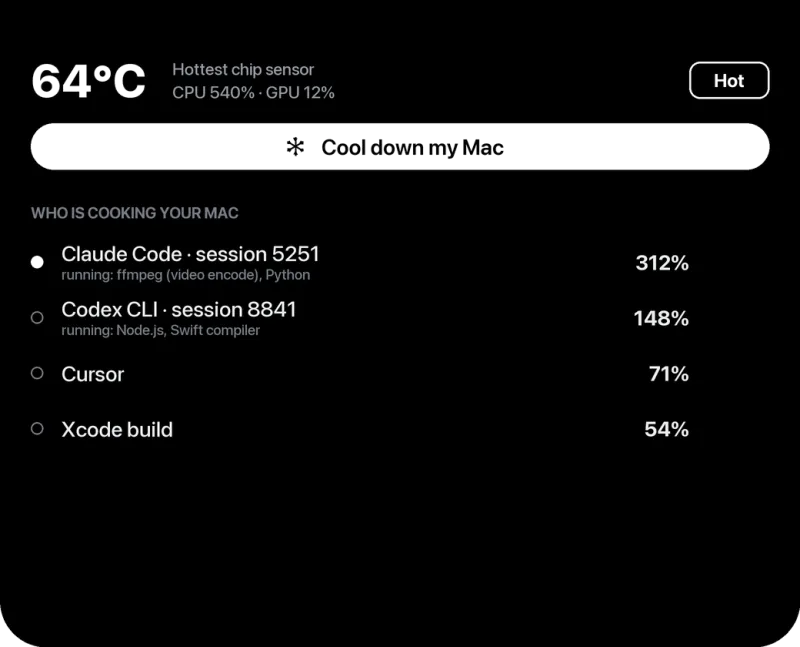
How a fanless Mac stays cool
Instead of a fan, the MacBook Air spreads heat from the chip across the case and lets it radiate away. That's why the top of the keyboard area and the bottom get warm. When the case can't shed heat fast enough, macOS lowers the chip's speed. Your work keeps going, just slower. That's by design and doesn't damage anything.
Normal vs not normal
| Situation | Normal? |
|---|---|
| Warm during exports, builds, games, local AI, long calls | Yes |
| Slows down after several minutes of heavy work | Yes (thermal throttling) |
| Warm while charging | Yes, mildly |
| Hot with nothing open | No: a background process is busy (find it) |
| Too hot to touch, or shuts down | No: stop, let it cool, contact Apple if it repeats |
Keeping an Air cooler
- Hard surface or stand. The bottom of the case is part of the cooling. An aluminium stand helps a little more; a bed or blanket makes it worse.
- Find the busy app in Activity Monitor (CPU tab, sort by % CPU) and quit what you don't need.
- Low Power energy mode for long jobs: System Settings → Battery → Energy Mode (older macOS: Low Power Mode).
- Run long jobs on the efficiency cores (
taskpolicy -b), so they don't push the chip into throttling. See how. - Keep it out of the sun and hot rooms. Apple rates Mac laptops for 10 to 35°C ambient.
- Consider a cooling pad only if you do long heavy work daily (do they help?).
Air or Pro for heavy work?
If you regularly render, compile or run local AI models for a long time, a MacBook Pro's fans let it hold full speed much longer. For everything else, the Air's throttling is rarely noticeable. More detail: MacBook Air throttling on long tasks.
Frequently asked questions
Does the MacBook Air have a fan?
No. Apple Silicon MacBook Air models are fanless and cool through the case.
Is it safe if my MacBook Air gets hot?
Yes during heavy work. The chip slows itself down before it gets too hot. If it's hot while idle, find the busy process.
Why does my MacBook Air slow down when it's hot?
Thermal throttling: without a fan, the Air lowers chip speed under long loads to keep temperatures in range.