 WhoIsCooking
Get the app, $5
Mac hot after a macOS update? Why, and how long it lasts
You updated macOS and now the Mac is warm, the fans are on and the battery drops fast. Usually it's temporary.
Short answerAfter a macOS update, the Mac re-indexes Spotlight, re-analyses your photos, re-syncs iCloud and updates apps in the background. That keeps the CPU busy and the Mac warm for anywhere from a few hours to a couple of days. Apple says Spotlight indexing alone can take hours or even days, depending on how much data you have. Leave the Mac plugged in and awake to let it finish. If it's still hot after about three days, look in Activity Monitor for a stuck process.
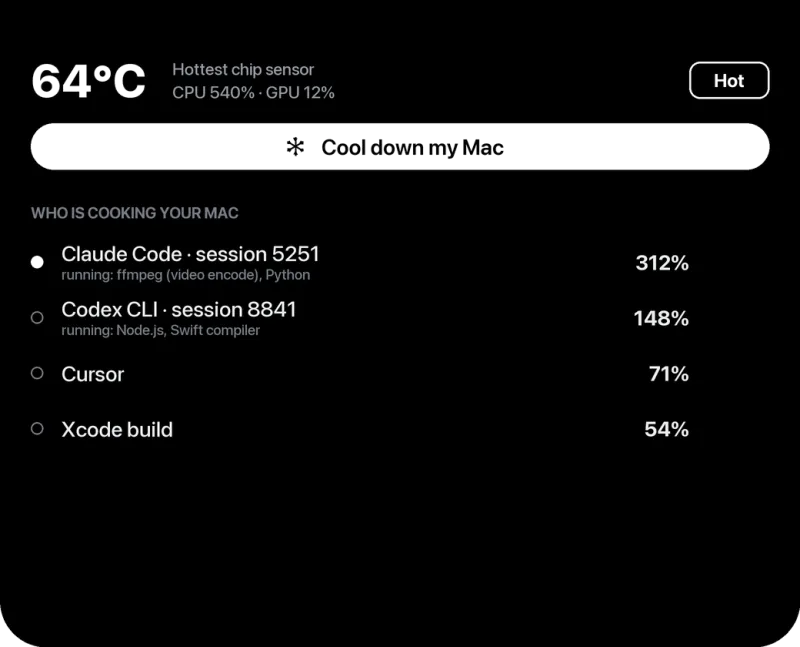
What macOS does after an update
| Task | Shows up in Activity Monitor as | Typical length |
|---|---|---|
| Spotlight re-indexing | mds, mds_stores, mdworker_shared | Hours to a day or two, depending on how many files you have |
| Photos analysis (faces, objects, text) | photoanalysisd, mediaanalysisd | Hours for a big library; it runs mostly when the Mac is idle and on power |
| iCloud Drive and Photos sync | bird, cloudd, fileproviderd | Depends on how much changed and your connection |
| App updates and first launches | softwareupdated, appstoreagent, the app itself | Minutes |
What to do
- Leave it plugged in and awake for a few hours. Many of these tasks only run, or run faster, when the Mac is on power and idle.
- Give it airflow while it works: a desk or stand, not a bed.
- Check progress. Open Activity Monitor, View → All Processes, and sort by % CPU. If the top processes are the ones in the table above, it's normal and will end.
- Exclude huge folders from Spotlight you never search (old backups,
node_modules, VM images): System Settings → Spotlight → Search Privacy. Less to index means less heat.
When it's not the update
If after about three days the Mac is still hot while idle, the update probably isn't the reason. Common causes then:
- An app that isn't fully compatible with the new macOS yet and is stuck at high CPU. Check for app updates.
- A login item or background helper that started misbehaving. System Settings → General → Login Items.
- Spotlight stuck on one damaged folder. Apple's fix: add that folder (or the whole disk) to Spotlight's Search Privacy list, then remove it again, which re-indexes it.
Full checklist: Mac hot when doing nothing.
Frequently asked questions
How long does a Mac stay hot after an update?
Usually a few hours to two days, while Spotlight, Photos and iCloud catch up. Big libraries take longer.
Why is my battery draining fast after a macOS update?
The same background work that makes the Mac warm also uses power. It settles once indexing and photo analysis finish.
Should I restart after the update if it's hot?
A restart doesn't hurt, but it won't skip the indexing. Leaving the Mac on power and awake lets it finish sooner.