 WhoIsCooking
Get the app, $5
Mac fan loud? Why it happens and how to quiet it
Loud fans mean the chip is working hard. Lower the work and the fans follow.
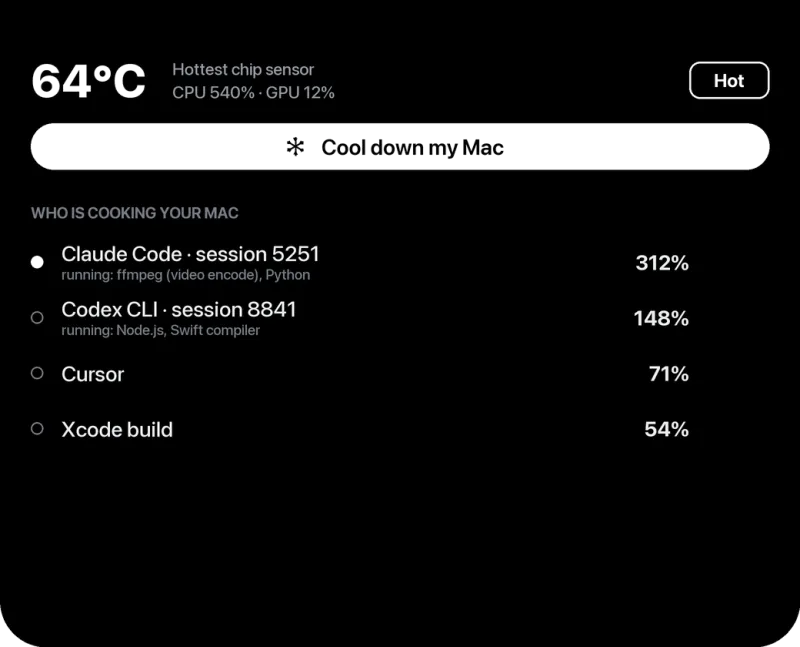
Why the fan gets loud
On Apple Silicon Macs the fans stay quiet or off for most tasks. They ramp up only when the chip has been working hard for a while. So a loud fan is a symptom: something has been using the chip heavily for a minute or more.
Find the cause
- Open Activity Monitor (press Cmd + Space, type "Activity Monitor").
- Click the CPU tab, then click the % CPU column so the busiest process is at the top.
- Watch it for a minute. A process that stays above 80 to 100% is what is making the heat. (100% means one full core, so 400% means four cores.)
- Check the Energy tab too. "Energy Impact" shows which apps use the most power over time, including ones that only spike now and then.
Common causes: video exports, builds, Docker, games, many browser tabs, video calls with effects, AI coding agents and their leftover processes, and background indexing after an update.
How to quiet it
- Stop or limit the busy app. Quit it, close tabs, or lower its threads.
- Low Power energy mode (System Settings → Battery → Energy Mode). Apple says it reduces fan noise; for most tasks the fans barely run.
- Run long jobs on the efficiency cores with
taskpolicy -b. The job keeps running, and the fans often stay quiet. See this guide. - Give it air. A stand or hard surface; nothing blocking the vents at the back and sides.
- Check the room. Heat and direct sunlight make the fans start sooner.
- Clean dust from the vents on older Macs, with the Mac off.
Should I use a fan control app?
Apps that set the fan speed manually can run fans faster, which cools better but is louder. Forcing fans slower than macOS wants just makes the chip throttle sooner. To make a Mac quieter, reduce the heat at its source, not the fan speed.
Fan loud with nothing running?
If Activity Monitor shows nothing busy, the Mac is cool to the touch, and the fan still roars, it may be a hardware issue (a sensor or the fan itself). Run Apple Diagnostics: shut down, press and hold the power button until startup options appear, then press Cmd + D. Contact Apple if it reports a problem.
What about the MacBook Air?
The MacBook Air has no fan. If you hear fan noise, it's another device. If your Air feels hot but quiet, see MacBook Air throttling.
Frequently asked questions
Is it bad if my MacBook Pro fan is loud?
No. It means the Mac is cooling itself under heavy work. It's only a concern if it happens with nothing running.
Why is my Mac fan loud during video calls?
Video calls encode your camera in real time; blur and virtual backgrounds add more work. Turn off effects and close other heavy apps.
How do I check my Mac's fan speed?
macOS doesn't show it. Menu bar apps such as iStat Menus, Stats or TG Pro display fan RPM.